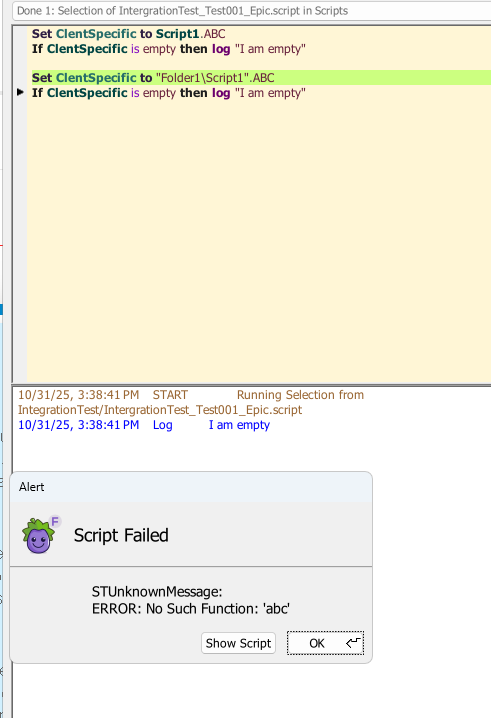
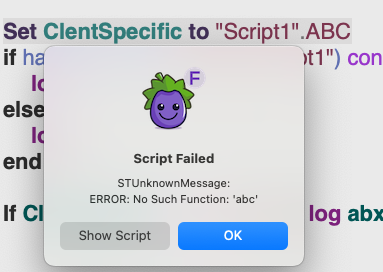
So the code is something like this
Set ClentSpecific to Script1.ABC

If ClentSpecific is empty then DoThis
VS
Set ClentSpecific to "Folder1\Script1".ABC

If ClentSpecific is empty then DoThis
In my case Script1 does not exist.
If I call the first example then ClientSpecific variable is left empty
If I call the second example then it errors out
Just because I am checking in a folder it doesnt work? Is there any way around this?
Thought about this some more and make sense why its working
Set ClentSpecific to Script1.ABC
In short Script.ABC is basically a variable here if it doesn’t exist as a script.handler
So instead of doing this for a script.handler (in a fodler)
Set ClentSpecific to "Folder1\Script1".ABC
Is there a way to see if this combo exist to use as the start of an if statement?
Hey @GTPWilks,
the simplest I could come up with is: adding Try in front of the set.
this will try to set the variable and avoids the Alert error. You can also write a try/catch block around but thats more.
This will behave the same as your first example.
Try Set ClentSpecific to "Folder1\Script1".ABC

If ClentSpecific is empty then DoThis
What I think is happening.
Your first example sensetalks things that script1 is a variable and not a script name. The variable does not exist hence its empty and its trying to add the value of the key ABC of script1 variable which is why its empty.
The moment you are putting quotes around “Script1”.ABC you are seeing the same error.
cheers,
Karsten
@Karsten
Thanks for the Try suggestion. I thought about the try catch block but this at least makes it look cleaner